Getting started
Choose a play scene and drag objects into it with the mouse. Place them wherever you like. There is no prescribed solution.
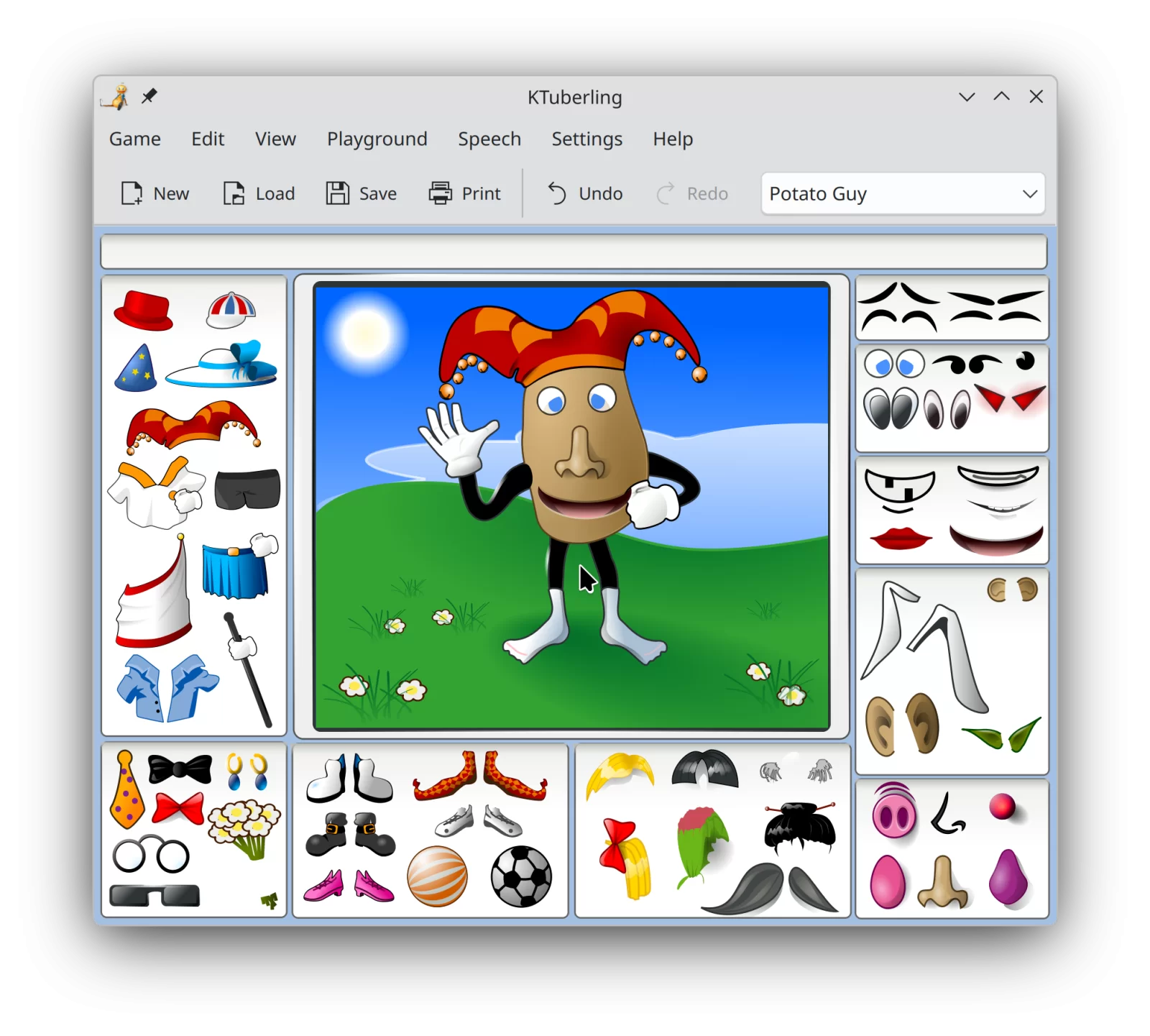
Create characters and scenes by dragging eyes, noses, hats and other objects into place. The game encourages creativity and mouse skills through playful experimentation.
Choose a play scene and drag objects into it with the mouse. Place them wherever you like. There is no prescribed solution.
Combine eyes, noses, mouths and accessories to create a face. Move individual parts and observe how the expression changes.
Different scenes offer different objects and backgrounds. Invent a story for your scene and select suitable elements. Compare two versions of the same story.
Dragging and dropping practises precise mouse movements. Try placing two eyes at the same height or arranging objects symmetrically. Small adjustments exercise hand-eye coordination.
Describe your character in your own words. How does it feel? What might have happened to it? Play in pairs and create characters based on each other’s spoken descriptions.
Create three characters with different expressions. Use mostly the same elements but change their arrangement. Then tell a short story featuring all three characters.
gPlanarity · GCompris · Tux Paint · Colobot · TuxMath · Tux Typing · LMMS · PosteRazor · KTuberling · Numpty Physics
Icefun Linux – CHF 25, one-time payment.
Buy Icefun Linux